Dimmable LED Bulb Noise: Causes of Buzzing, Humming and Safer Fixes
Updated: September 10, 2026
Dimmable LED bulb noise is usually a compatibility and driver-design problem, not just a sound problem. Buzzing, humming or whining can come from dimmer waveform chopping, low-load instability, magnetic vibration, capacitor noise or poor thermal design. For B2B replacement projects, confirm the dimmer model, lamp base, voltage, wattage range and low-end dimming behavior before approving samples.
| Noise symptom | Common cause | Safer action |
|---|---|---|
| Buzzing at low brightness | Dimmer and LED driver mismatch | Test a trailing-edge compatible dimmable lamp |
| Humming from the fixture | Transformer or load-range instability | Check minimum load and 12V driver compatibility |
| High-pitch whining | Driver component vibration | Compare samples under the real dimmer and fixture |
For distributors and project buyers, the practical target is quiet operation across the required dimming range, not only whether the package says dimmable.
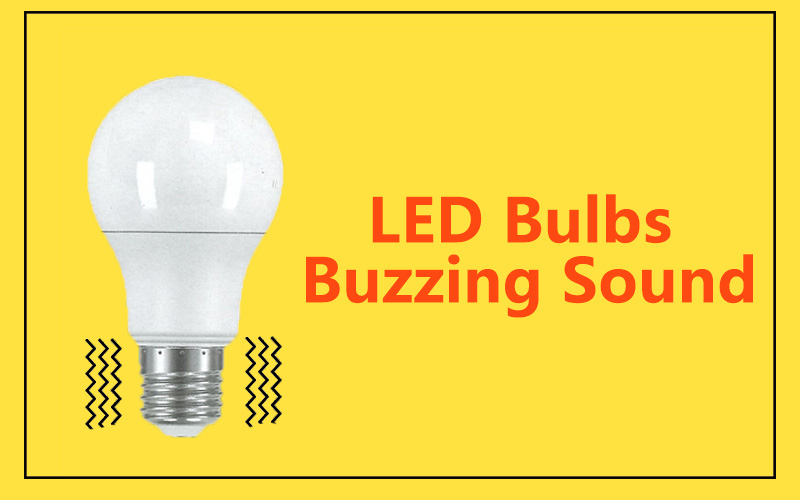
Instalas bombillas LED regulables para mayor confort, pero en lugar de una iluminación silenciosa, escuchas un zumbido o un chirrido. Este ruido puede ser molesto en un hogar u oficina tranquilos.
Las bombillas LED regulables producen ruido porque sus componentes electrónicos vibran cuando se alimentan con corriente alterna o se emparejan con reguladores incompatibles. Estas vibraciones crean zumbidos, tarareos o silbidos dentro de frecuencias audibles.
El ruido no siempre significa peligro, pero sí afecta la comodidad y la calidad. Permíteme explicar por qué ocurre y cómo manejarlo.
¿Por qué una bombilla regulable hace ruido?
Cuando bajas el brillo, ¿escuchas un tono de zumbido que aumenta a medida que la luz se atenúa? Mucha gente lo nota.
Una bombilla regulable hace ruido porque el dimmer corta la corriente alterna, lo que hace que los inductores, condensadores o drivers dentro de la bombilla vibren.
Profundizar: La física detrás del ruido
El ruido existe en casi todos los dispositivos eléctricos. En las bombillas LED, proviene de fuentes de alimentación conmutadas. Estos circuitos usan inductores y condensadores para convertir CA en CC. Durante la conmutación, los núcleos magnéticos se expanden y contraen ligeramente. Esta vibración puede caer en el rango de 20Hz–20kHz, que es audible para los humanos.
Las causas principales incluyen:
- Diseño del driver: Los circuitos deficientes no logran suprimir la vibración.
- Frecuencia de resonancia: Cuando la frecuencia interna se superpone con el rango auditivo.
- Incompatibilidad del regulador: Los reguladores antiguos cortan la onda demasiado bruscamente, estresando los componentes.
| Causa del ruido | Por qué ocurre | Solución |
|---|---|---|
| Frecuencia de resonancia | Se superpone con el rango auditivo humano (20 Hz–20 kHz) | Elevar la frecuencia por encima de 20 kHz |
| Regulador incompatible | Los cortes bruscos de corriente estresan el driver | Usar regulador LED de borde de bajada |
| Diseño mecánico débil | La carcasa delgada amplifica la vibración | Añadir silicona o espuma para absorber el sonido |
Los ingenieros intentan diseñar circuitos que eviten las frecuencias audibles. Si no pueden, utilizan almohadillas de silicona, esponjas o áreas de superficie más grandes para absorber la vibración.
¿Por qué mis luces LED hacen ruido?

Enciendes tus luces LED y escuchas un zumbido o un murmullo. ¿Por qué?
Las luces LED hacen ruido cuando las partes electrónicas en su interior vibran debido al rizado de la alimentación de CA o cuando se usan con interruptores reguladores incompatibles.
Profundiza: Fuentes Comunes de Ruido
- Corriente de ondulación CA – La corriente residual después de la conversión hace vibrar el driver.
- Carcasa suelta – A veces, el portalámparas o la luminaria vibra.
- Circuitos sobrecargados – Demasiados LED en un mismo regulador aumentan la carga.
- Resonancia del driver – Los circuitos de conmutación operan en rangos audibles.
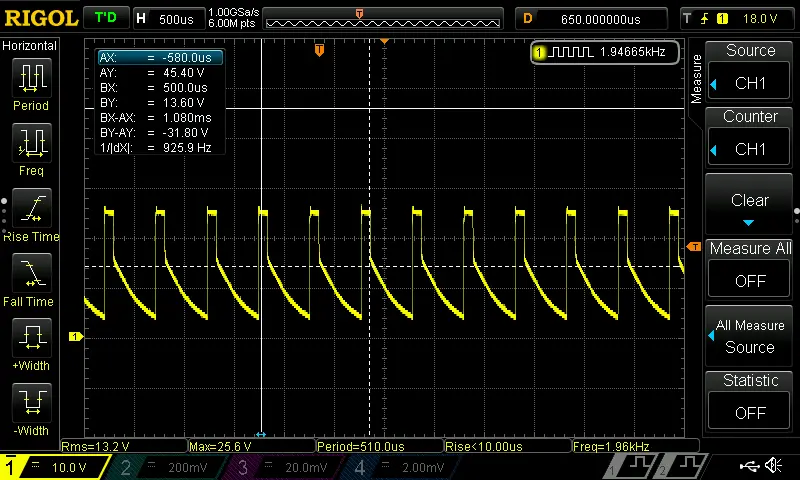
Algunos reguladores, especialmente Reguladores PWM con frecuencias bajas (alrededor de 2kHz), también genera ruido. Esta baja frecuencia puede hacer vibrar los condensadores cerámicos (MLCC). Ajustar la frecuencia de atenuación a 8kHz o superior reduce tanto el ruido como las métricas de parpadeo (SVM, PstLM).
Como diseñador, sé que no todo el ruido proviene de la bombilla. Triac-based leading-edge dimmers are also noise sources due to their simple circuits. Replacing them with trailing-edge dimmers often solves the problem.
How to stop dimmer lights from buzzing?
A buzzing light can ruin a relaxing atmosphere. Can you stop it? Yes.
You can stop buzzing by using LED-compatible trailing-edge dimmers, choosing high-quality bulbs, and adjusting dimming frequencies above 8kHz.
Dive Deeper: Practical Fixes
1. Replace Old Dimmers
Leading-edge dimmers cause sharp current cuts. Trailing-edge dimmers deliver smoother signals, reducing both flicker and sound.
2. Use Certified Bulbs
High-quality bulbs include buffering materials to suppress vibration. They are also tested under standards such as Energy Star (≤30dB at 1m).
3. Adjust PWM Frequency
Low PWM dimming frequencies create noise. Raising the frequency above 8kHz avoids both audible buzzing and visual flicker.
4. Spread Load Across Circuits
Too many LEDs on one dimmer increase stress. Splitting the load reduces vibration.
| Fix Method | Difficulty | Cost Impact | Effectiveness |
|---|---|---|---|
| Replace with trailing-edge dimmer | Bajo | Medio | Alta |
| Buy certified bulbs | Bajo | Medio | Alta |
| Adjust PWM frequency | Medio | Bajo | Alta |
| Split load per circuit | Medio | Bajo | Medio |
Why is my LED power supply making a buzzing sound?

Sometimes the bulb itself is quiet, but the external driver hums.
An LED power supply buzzes because its transformer or inductor vibrates during AC-to-DC conversion, especially when frequency falls in the audible range.
Dive Deeper: Inside the Driver
The driver regulates current. Coils, capacitors, and switching chips can all vibrate. If switching frequency is too low, or filtering is weak, buzzing happens.
Typical Causes:
- Magnetic core expansion inside inductors.
- Loose coil windings acting like tiny speakers.
- Poor ripple filtering leaving unstable signals.
Design Solutions:
- Increase switching frequency above 20kHz.
- Encapsulate coils in resin or silicone.
- Strengthen housing to reduce resonance.
If your power supply buzzes loudly, it may be overloaded or poorly designed. Replacing it with a quality, quiet driver usually solves the issue.
Why does my LED make a whining sound?
Sometimes the sound is not buzzing, but a sharp high-pitched whine.
An LED whines when its driver runs near 15–20kHz, which is close to human hearing limits.
Dive Deeper: Whining Explained
Unlike buzzing (low-frequency), whining is thin and sharp. It usually comes from:
- Switching frequency overlap – Driver runs near hearing range.
- Thin casings – The bulb body amplifies high-pitched vibrations.
- Small MLCC capacitors – Ceramic capacitors vibrate at certain dimming frequencies.
Buzzing vs Whining vs Humming
| Noise Type | Frequency Range | Fuente | Fix Recommendation |
|---|---|---|---|
| Zumbido | 100Hz – 5kHz | Ripple, poor dimmer | Use trailing-edge dimmers |
| Humming | 50Hz – 200Hz | Transformer vibration | Replace driver, tighten components |
| Whining | 15kHz – 20kHz | Driver switching, MLCC caps | Adjust PWM >8kHz, use quality bulbs |
If your LED makes a whining sound, the best fix is to upgrade to bulbs with well-designed drivers and pair them with reguladores modernos.
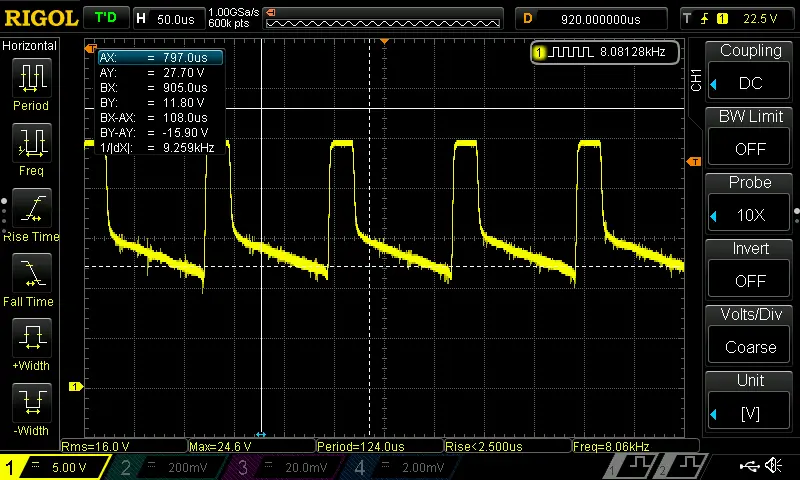
Conclusión
LED noise comes from vibration in drivers, capacitors, inductors, and sometimes dimmers. By using quality bulbs, trailing-edge dimmers, and correct design, buzzing and whining can be reduced below 30dB at 1m, keeping lighting both silent and comfortable.
Why I Trust Teco for Quiet LED Lighting
In my own projects, I found that not all LED suppliers take acoustic comfort seriously. Many low-cost bulbs save money on drivers, which leads to noise and flicker. At Teco, we manufacture dimmable LED spotlights with strict quality control. Our designs avoid resonance in the 20Hz–20kHz range, and we use silicone damping and advanced circuit design to minimize noise.
Because we run four production lines in China, we can supply bulk orders to large buyers while keeping consistent quality. We also provide custom logo service and rare styles that help our clients stand out in competitive markets in Europe, Saudi Arabia, UAE, USA, and Southeast Asia.
If you are a buyer like William, who cares about both quality and price, working with a factory like ours ensures that you avoid delays, unstable products, or fake certificates. You get certified, reliable, and silent LED lighting that your customers will trust.