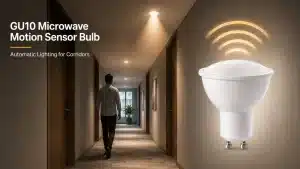
How to Identify if a Dimmable GU10 LED Bulb Has a High-Quality Driver?
Why Driver Quality Matters in GU10 LEDs
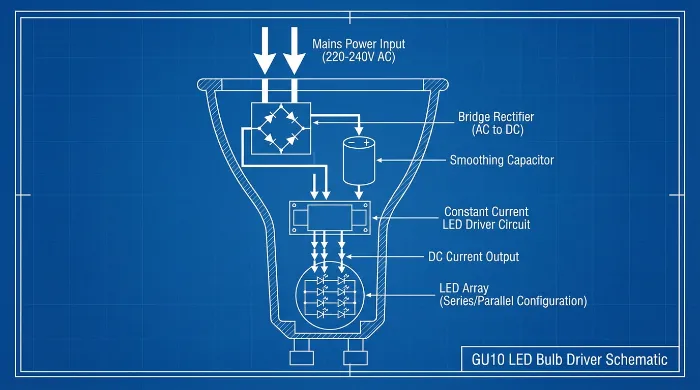
In GU10 LED bulbs, the driver converts mains voltage to the low-voltage direct current needed by the LEDs. A quality driver ensures consistent light output, extends bulb lifespan, and supports dimming without issues. Poor drivers can cause early failures, such as overheating or inconsistent performance, leading to higher replacement costs in installations. For project owners, selecting bulbs with reliable drivers reduces maintenance in commercial or residential setups. Trade-offs include higher upfront costs for premium drivers versus risks of downtime from low-cost options.
Flicker-Free: Top Sign of GU10 Driver Quality
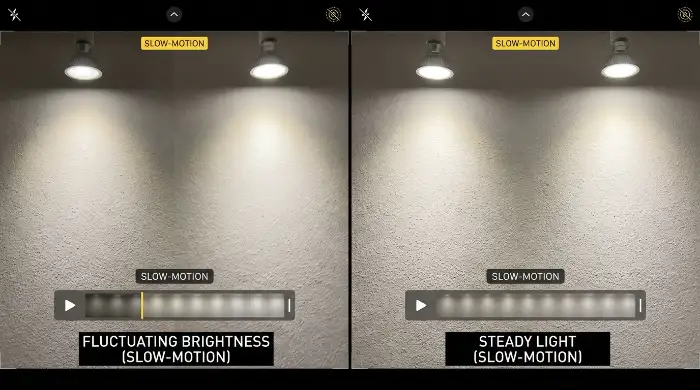
Flicker occurs when the driver fails to maintain steady current, causing visible light pulsing that strains eyes and affects video recording in lit spaces. High-quality drivers use advanced circuitry, like constant-current regulation, to deliver flicker-free operation below 3% modulation. Test by observing the bulb under a slow-motion camera or by eye in low light; absence of flicker indicates robust design. Limitations: Even quality drivers may show minor flicker at extreme dim levels.
Stable Low Dimming: Where Cheap GU10 Drivers Fail
Cheap drivers often drop out or buzz at low dim settings (below 10–20%), as they lack precise pulse-width modulation for smooth control. Quality drivers maintain stable output down to 1% dimming, preserving color consistency and avoiding color shifts. In real projects, this stability prevents user complaints in adjustable lighting systems. Check by dimming gradually; instability signals inadequate components. Drawback: Premium drivers require compatible dimmers, adding setup complexity.
GU10 Driver Compatibility with Real Dimmers
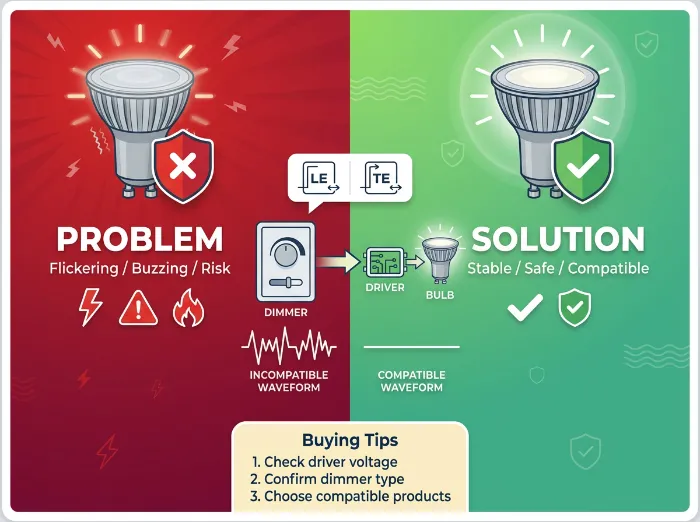
GU10 drivers must match leading-edge or trailing-edge dimmers common in existing wiring. Quality units include built-in compatibility features, like universal voltage ranges (100–277V), to avoid buzzing or dropout. Incompatibility leads to warranty voids or fire risks from overload. Verify through spec sheets listing tested dimmer brands. Responsibility falls on buyers to confirm system integration during procurement.
Noise & Heat: Clues to GU10 Driver Design
Audible humming from coil vibration or excessive heat from inefficient components reveals subpar driver design. Quality drivers operate silently with heat sinks or passive cooling, keeping temperatures under 60°C during use. Measure noise in quiet rooms and touch the base after 30 minutes of operation; cool and quiet indicate good thermal management. Overheating shortens LED life by 50% or more in enclosed fixtures.
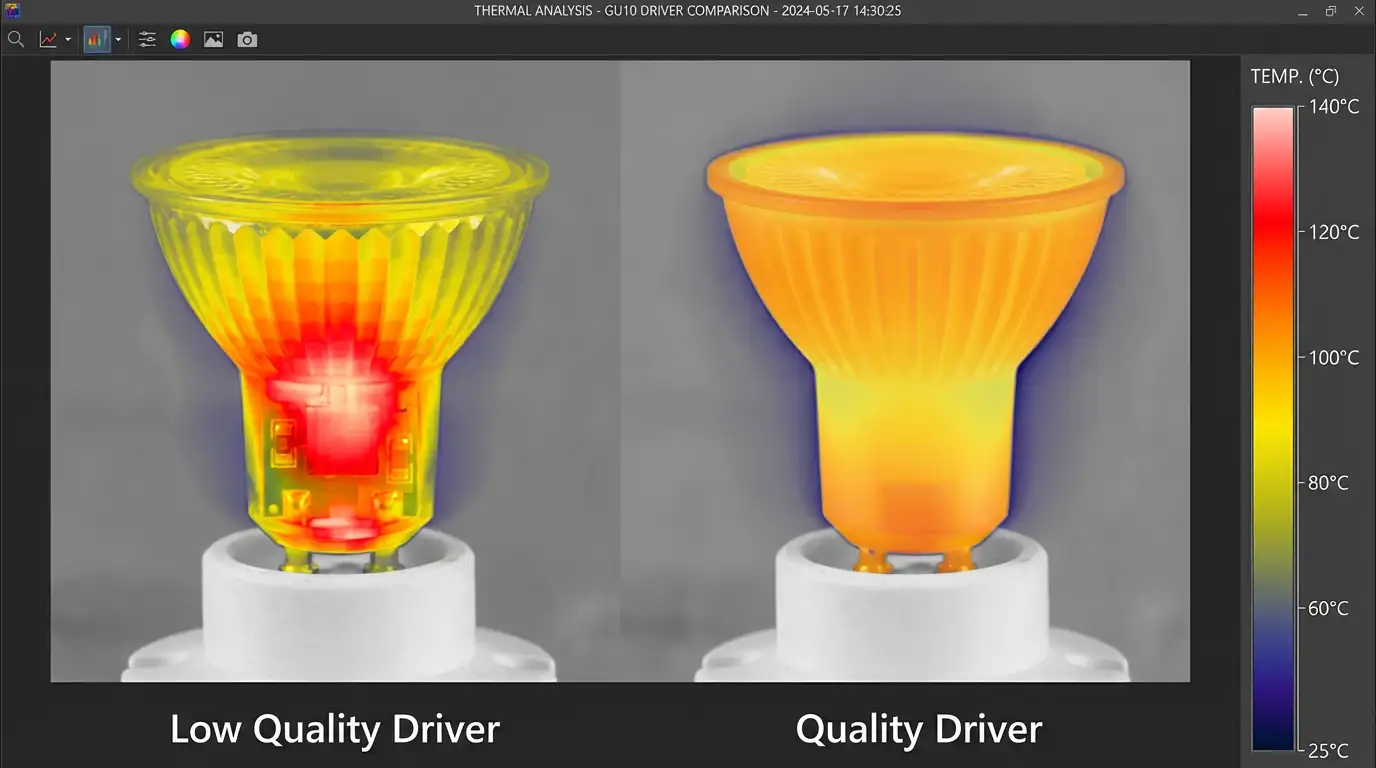
Supplier Transparency for GU10 Driver Checks
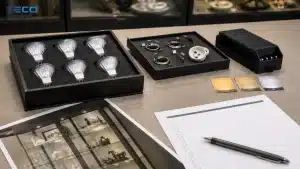
Reliable suppliers provide datasheets detailing driver specs, such as efficiency ratings (>85%) and component sourcing. Look for certifications like UL or CE, and request third-party test reports on flicker and dimming. Lack of details often hides low-grade parts from unregulated markets. In B2B procurement, demand sample testing to assess real performance. Trade-off: Transparent suppliers may charge more but lower long-term risks.
Checklist: Screen GU10 Drivers Before Buying
- Review flicker specs: Confirm \<5% modulation in documentation.
- Test dimming range: Ensure stability from 100% to 5% with your dimmer.
- Check compatibility: Verify voltage and dimmer type support.
- Assess noise/heat: Run samples for 1 hour and monitor.
- Demand transparency: Request component lists and certifications.
- Evaluate supplier: Prioritize those with return policies for failed tests.
Use this in bulk orders to filter options systematically. Visual: Bullet-point checklist as an illustrated graphic, with icons next to each item (e.g., eye for flicker, thermometer for heat) for easy reference.
Conclusion
Quality GU10 drivers balance performance reliability against cost, with key trade-offs in compatibility and testing needs. Decisions should weigh project-specific demands, like dimming frequency, to avoid operational disruptions. Prioritizing verifiable specs supports informed procurement without over-reliance on claims.
Sources
- Illuminating Engineering Society (IES) standards on LED drivers: ies.org
- Underwriters Laboratories (UL) guidelines for dimmable LEDs: ul.com
- International Electrotechnical Commission (IEC) 62386 on DALI dimming compatibility: webstore.iec.ch
CTA
For further details on GU10 driver evaluations, consult supplier technical support or independent testing labs.